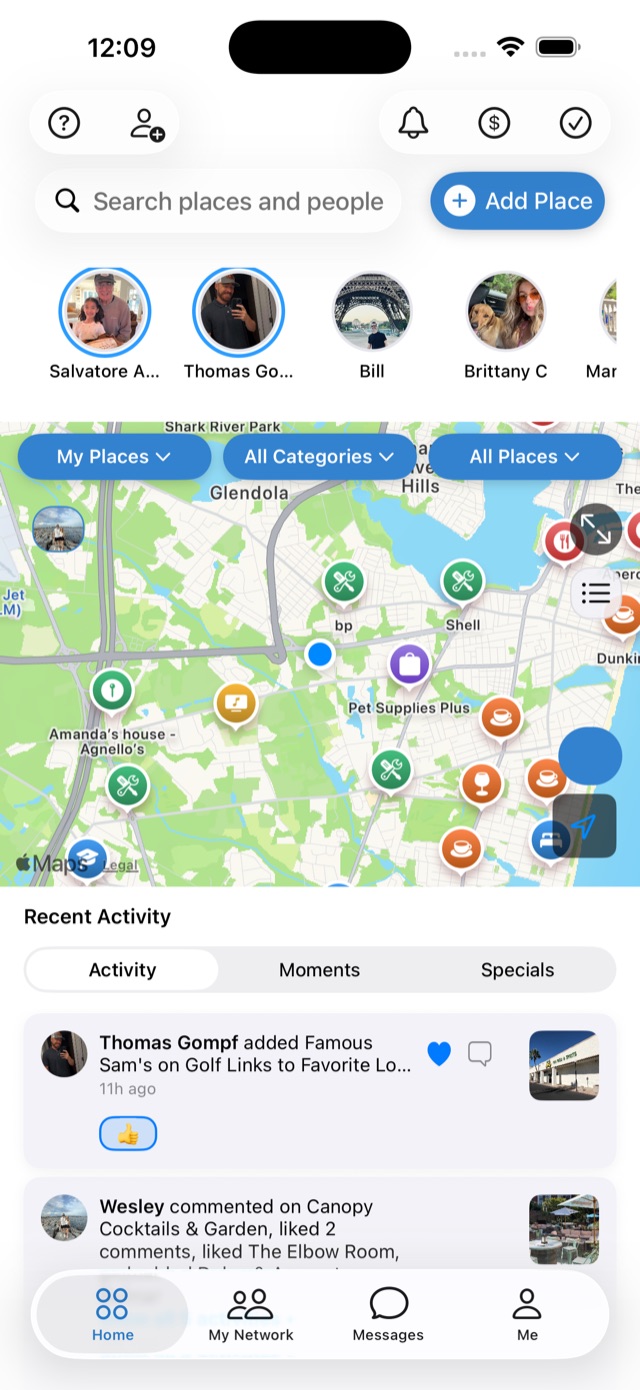
Your Mapstr map, with your friends on it.
You didn't tag hundreds of places just to look at them alone. Bring your whole Mapstr collection into FavCircles in one import — tags intact — and let the people who trust your taste finally see it.
Move your map in two short steps
1. Export from Mapstr
- In Mapstr, open your Profile.
- Choose Export my data by email.
- Mapstr emails you an export file — save it where you can find it.
2. Import into FavCircles
- In FavCircles, go to Settings → Data → Import Places.
- Pick your export file.
- Done. Your places land in one import circle, and your Mapstr lists become filterable tags — your own tags survive too.
Places you've already saved are skipped automatically, so re-importing is safe. Everything shows up on your map immediately.
A real import, in real time
An actual 641-place Google Takeout export going in — sped up only where it waits. No staging, no mockups.
▶ Watch: the import, start to finish
A narrated walkthrough of exporting your places and pulling them into FavCircles.
Friends' Maps & Recommendations
See where your friends actually go, get their recommendations, and let them discover your finds — curation that flows both ways.
Circles You Can Share
Organize places into circles — "Date Night," "Best Coffee" — and share them with your network or keep them private. Your call, per circle.
Rewards at Local Shops
Earn points and rewards at participating local shops for saving, sharing, and showing up — your favorites can pay you back.
Import is free
No fee, no place limit on import, no lock-in. Download the app, bring your Mapstr export, and your map is social in minutes.
Also switching from… Google Maps saved places · Swarm / Foursquare